Low-Code and No-Code vs Custom Software: When Each One Makes Sense
Low-code and no-code tools let businesses build apps and automations without traditional programming. They are powerful — up to a point. Here is how to know when you have reached it.
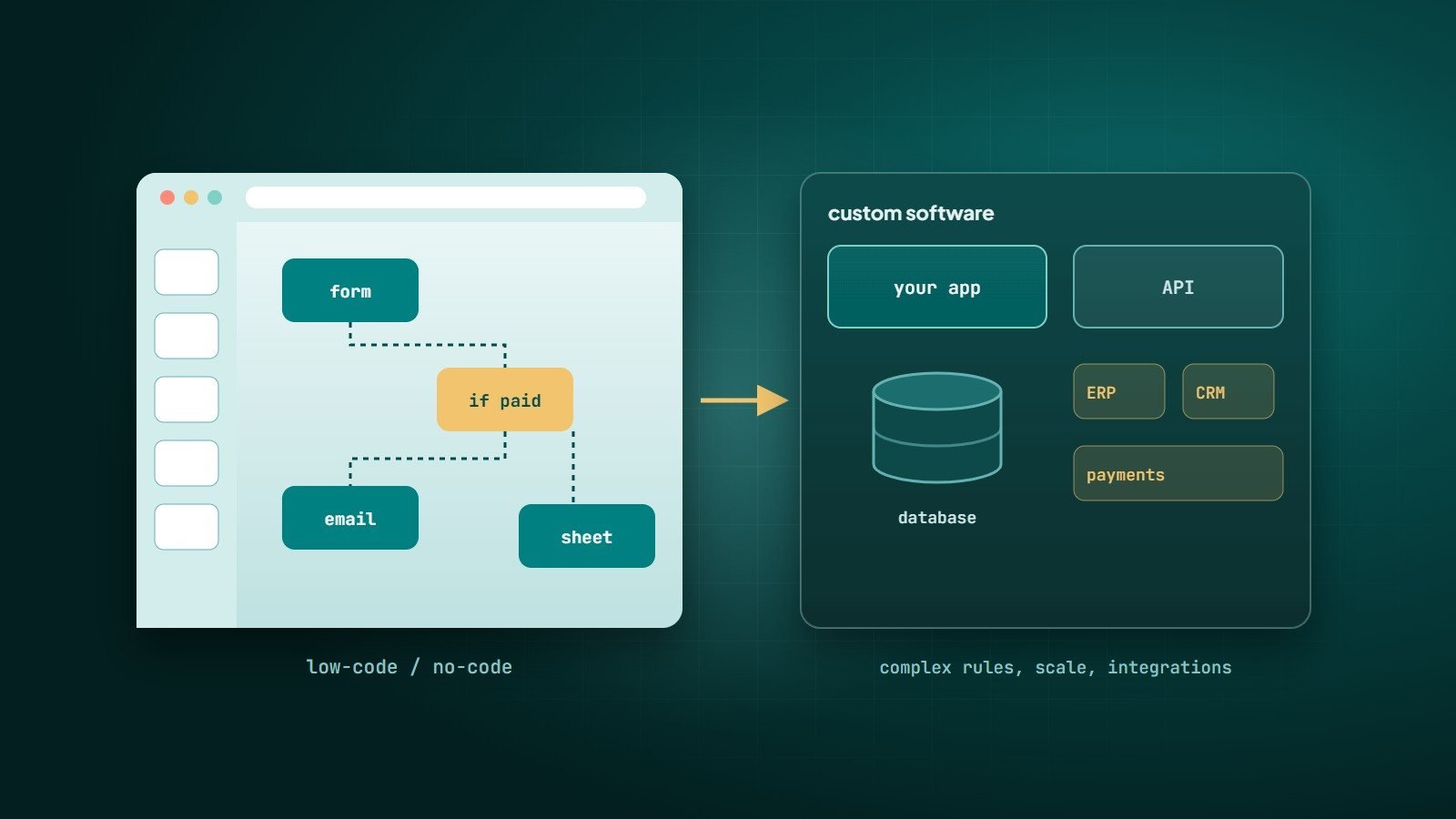
Not every business problem needs a development team. Low-code and no-code platforms let people build applications, websites and automations using visual editors, templates and pre-built components. They have made software accessible to far more people — and they also have real limits.
What the terms mean
- No-code — build entirely through visual interfaces, without writing code. Aimed at non-developers ("citizen developers").
- Low-code — mostly visual development, with the option to add code for custom logic and integrations. Aimed at developers and technical business users who want to move faster.
Common examples
| Category | Examples |
|---|---|
| Websites | Webflow, Wix, Squarespace |
| Databases and internal tools | Airtable, Notion databases, Retool |
| Web and mobile apps | Bubble, FlutterFlow, Glide |
| Automation | Zapier, Make, n8n, Microsoft Power Automate |
| Enterprise platforms | Microsoft Power Apps, OutSystems, Mendix |
Where low-code and no-code shine
- Speed — prototypes and simple tools in days, not months.
- Internal tools — forms, approval workflows, simple dashboards, team databases.
- Automating repetitive work — "when a form is submitted, add a row, notify the team, send a confirmation email".
- Validating ideas — testing demand before investing in custom development. See building an MVP.
- Empowering teams — people closest to a process can improve it themselves.
The limits
- Complex logic — business rules with many exceptions become tangled and hard to maintain in visual editors.
- Performance and scale — platforms may slow down or hit limits as records, users and traffic grow.
- Vendor lock-in — your application usually cannot be exported and run elsewhere. If the platform changes its pricing, features or terms, you must adapt.
- Cost at scale — per-user, per-record or per-task pricing that is cheap at the start can become expensive as you grow.
- Integrations — connecting to systems without ready-made connectors can be difficult.
- Security and governance — data can spread across many tools and accounts without central control ("shadow IT").
- Testing and version control — often weaker than in professional software development.
When custom software is the better investment
- The software is your product, or a core competitive advantage.
- You need complex rules, calculations or workflows that platforms handle awkwardly.
- You expect significant growth in users, data or transactions.
- You need deep integrations with your own systems.
- Data ownership, security and compliance requirements are strict.
- Platform subscription costs have grown beyond what a custom solution would cost to run.
A practical decision framework
- Is it a standard need? If a mature SaaS product already does it well, use it.
- Is it simple, internal, or an experiment? Start with no-code or low-code.
- Is it core to how you win, complex, or growing fast? Invest in custom software.
Many businesses use all three: SaaS for standard functions, no-code automations to connect them, and custom software for the processes that make them different.
Moving from no-code to custom
Outgrowing a no-code tool is a sign of success, not failure. The no-code version has documented how the process really works and what users need — the best possible specification for a custom build. Plan the migration carefully: export and clean the data, rebuild the critical flows first, and run both systems in parallel briefly before switching over.
Key takeaways
- Low-code and no-code are excellent for speed, internal tools, automation and experiments.
- Watch for limits in complex logic, scale, cost, lock-in and governance.
- Choose custom software when the system is core, complex or growing fast.
- Combining SaaS, no-code and custom software is often the smartest approach.
How Wintecsys can help
We build custom software for the processes that make your business different — and we will tell you honestly when a SaaS or no-code tool is the better choice. When you outgrow one, we migrate you carefully.