IP Addresses Explained: IPv4 vs IPv6, Public vs Private, Static vs Dynamic
Every device on a network needs an IP address. Here is how IPv4 and IPv6 work, why your home network uses private addresses, and what subnets and CIDR notation mean.
An IP address (Internet Protocol address) is a number that identifies a device's network interface, so data can be delivered to the right place — much like a postal address. Your phone, laptop, printer and every web server all have one.
IPv4
IPv4 addresses are 32-bit numbers, written as four decimal numbers from 0 to 255 separated by dots: 192.168.1.20. That allows about 4.3 billion addresses (232) — far fewer than the number of connected devices today. The regional internet registries have exhausted their general pools of new IPv4 addresses, which is why techniques like NAT and the move to IPv6 matter.
IPv6
IPv6 addresses are 128-bit numbers, written as eight groups of four hexadecimal digits: 2001:0db8:0000:0000:0000:ff00:0042:8329. Leading zeros can be dropped and one run of zero groups can be replaced with ::, giving 2001:db8::ff00:42:8329.
The address space is 2128 — so large that address shortage is no longer a concern. IPv6 also simplifies automatic address configuration and removes the need for NAT. Most modern operating systems, mobile networks and cloud providers support it, and many networks run IPv4 and IPv6 side by side ("dual stack").
Public vs private addresses
Certain IPv4 ranges are reserved for private networks (RFC 1918) and are never routed on the public internet:
| Range | CIDR | Common use |
|---|---|---|
| 10.0.0.0 – 10.255.255.255 | 10.0.0.0/8 | Large company and cloud networks |
| 172.16.0.0 – 172.31.255.255 | 172.16.0.0/12 | Company and container networks |
| 192.168.0.0 – 192.168.255.255 | 192.168.0.0/16 | Home and small office routers |
Other special addresses include 127.0.0.1 (localhost — "this computer") and 169.254.x.x (assigned automatically when a device cannot reach a DHCP server, often a sign of a network problem).
NAT: how many devices share one public IP
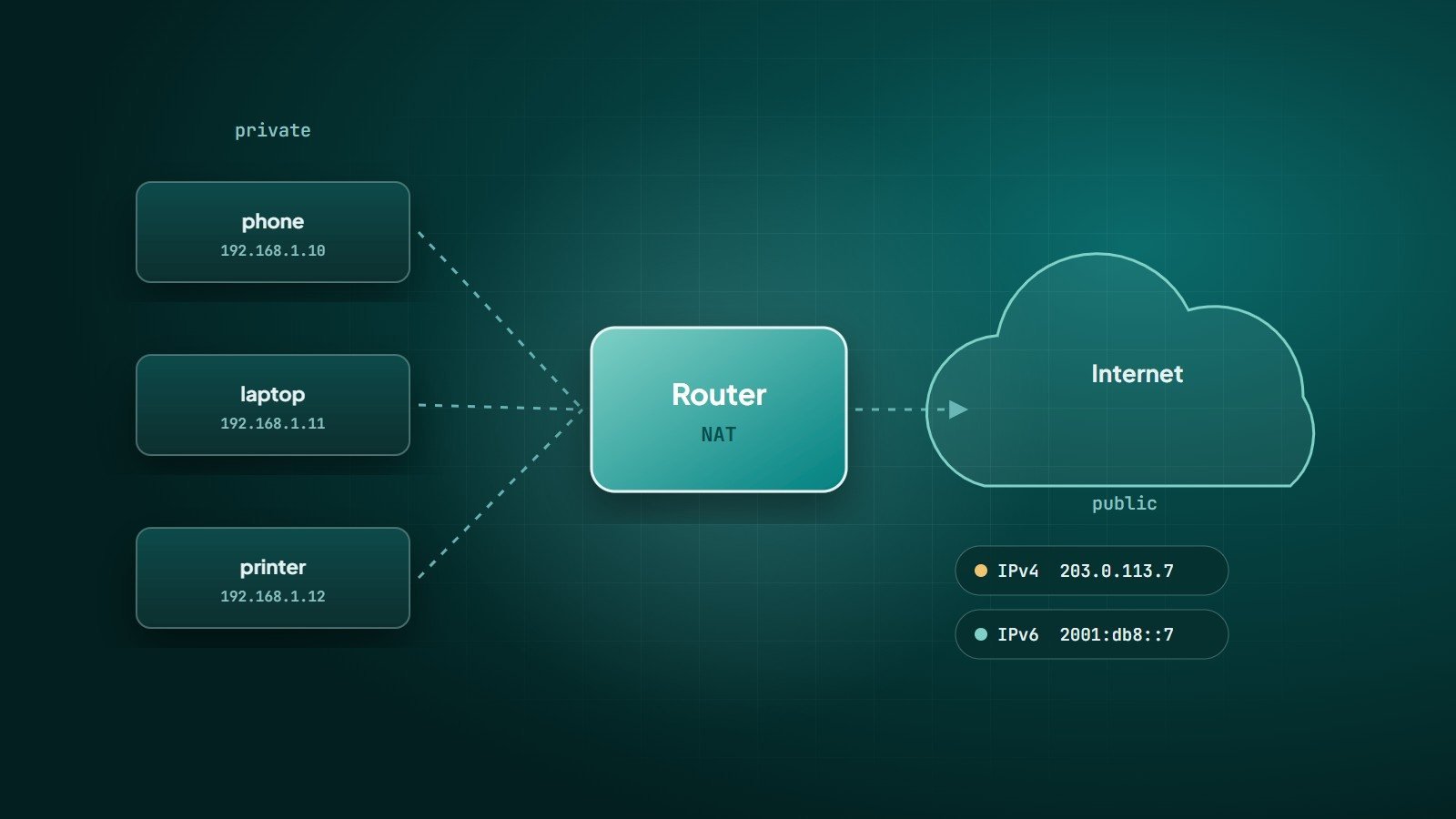
Your home or office router has one public IPv4 address from your internet provider. Devices inside use private addresses. Network Address Translation (NAT) rewrites outgoing traffic so it appears to come from the router's public address, and tracks connections so replies reach the right device. Many internet providers go further with carrier-grade NAT, sharing one public address among many customers.
Subnets and CIDR notation
A network is described by an address and a prefix length, called CIDR notation. In 192.168.1.0/24, the first 24 bits identify the network and the remaining 8 bits identify devices — 256 addresses, of which 254 are usable by devices (the first is the network address, the last the broadcast address).
| Prefix | Addresses | Subnet mask |
|---|---|---|
| /24 | 256 | 255.255.255.0 |
| /16 | 65,536 | 255.255.0.0 |
| /32 | 1 (a single host) | 255.255.255.255 |
You will meet CIDR notation in firewall rules, cloud network settings and server allow-lists.
Static vs dynamic addresses
- Dynamic — assigned automatically by DHCP, and may change. Normal for laptops and phones, and for most home internet connections.
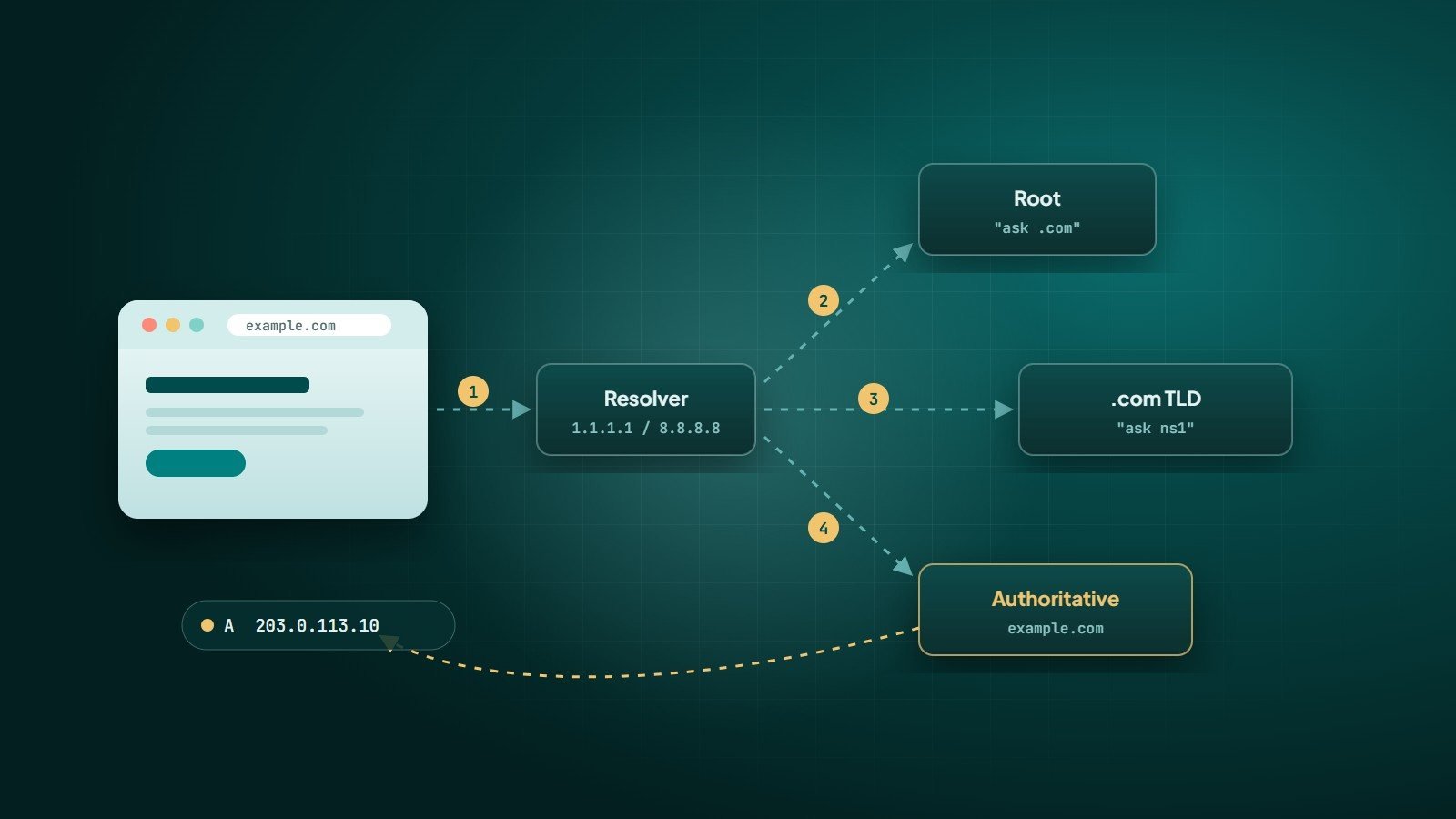
- Static — fixed. Needed for servers, and useful for printers or devices you need to reach reliably. Websites point their DNS records at static addresses — see how DNS works.
What an IP address reveals
A public IP address reveals your internet provider and an approximate location — usually city or region level, often inaccurate. It does not reveal your name or street address on its own; linking an IP to a customer requires the provider's records.
How to find your IP address
- Private address:
ipconfigon Windows,ip addron Linux, or network settings on macOS, Android and iOS. - Public address: search "what is my IP" or check your router's status page.
Key takeaways
- IPv4 uses 32-bit addresses and is exhausted; IPv6 uses 128-bit addresses and is widely deployed alongside it.
- Private ranges are used inside networks; NAT lets many devices share one public address.
- CIDR notation (/24, /16) describes network size.
- Servers need static addresses; most client devices use dynamic ones via DHCP.
How Wintecsys can help
We plan and configure networks for offices and cloud environments — addressing, firewalls, secure access and documentation — so your systems are reliable and easy to manage.