What Is a VPN and Does Your Business Need One?
VPNs are marketed as a privacy cure-all, but for businesses they solve a specific problem: secure access to private networks. Here is how they work and when you actually need one.
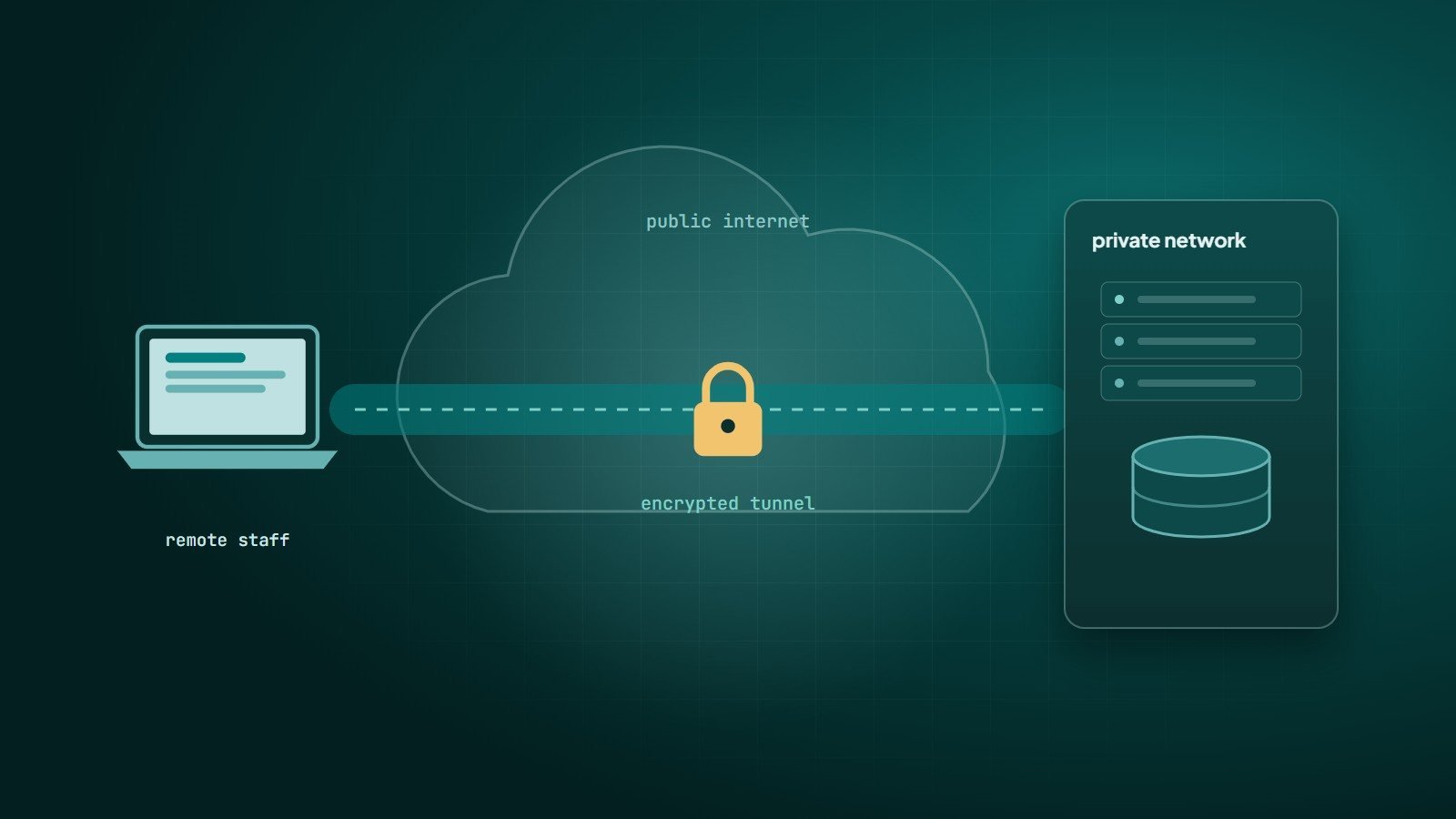
A VPN (Virtual Private Network) creates an encrypted "tunnel" between your device and another network over the public internet. Traffic inside the tunnel cannot be read or altered by anyone in between, and to the destination network, your device appears to be connected locally.
How a VPN works
- The VPN client on your device authenticates to a VPN server or gateway.
- They agree on encryption keys and establish a tunnel.
- Your traffic is encrypted, wrapped in new packets and sent to the VPN server.
- The server decrypts it and forwards it to its destination — an internal server, or the wider internet.
Three different kinds of VPN
| Type | What it does | Typical user |
|---|---|---|
| Remote-access VPN | Connects individual devices to a company's private network | Employees working from home or travelling |
| Site-to-site VPN | Permanently connects two networks, e.g. a branch office to headquarters or an office to a cloud network | Organisations with multiple locations or hybrid cloud |
| Consumer VPN service | Routes your internet traffic through a provider's servers | Individuals on public Wi-Fi or seeking more privacy from their ISP |
For businesses, the first two are the important ones. They are about access to private resources, not about hiding your browsing.
Common VPN protocols
- WireGuard — modern, fast and built on a small, auditable codebase.
- IPsec (often with IKEv2) — a long-established standard, widely used for site-to-site connections and built into many operating systems and firewalls.
- OpenVPN — mature, flexible and open source; runs over TLS.
Older protocols such as PPTP are considered insecure and should not be used.
When a business needs a VPN
- Staff need to reach internal systems — file servers, databases, admin panels, ERP — that should never be exposed directly to the internet.
- You want to restrict admin access to servers (SSH, database ports, hosting dashboards) to known, authenticated connections.
- Offices or cloud networks need to communicate privately with each other.
- Regulations or contracts require encrypted access to certain data.
When you probably don't
If your team uses only cloud SaaS tools — email, documents, CRM — that are already accessed over HTTPS with strong authentication, a VPN adds little security. Focus instead on multi-factor authentication, device security and access policies.
What a VPN does not do
- It does not protect against phishing, malware or weak passwords.
- It does not make you anonymous; the VPN provider can see your traffic metadata.
- A compromised device on the VPN can become a path into your whole network.
- The VPN gateway itself is a target: VPN appliances have repeatedly had serious vulnerabilities, so they must be patched promptly and protected with MFA.
The zero-trust alternative
Traditional VPNs follow a "castle and moat" model: once inside, users often have broad network access. Zero-trust network access (ZTNA) instead checks identity, device health and context for each application, and gives access only to that application — never to the whole network. Many organisations now combine or replace VPNs with zero-trust access, especially for web-based internal tools.
Good practices if you use a VPN
- Require MFA for every VPN login.
- Give each user access only to the networks and systems they need.
- Keep VPN servers and clients updated; monitor for vendor security advisories.
- Log connections and review unusual activity.
- Remove access immediately when people leave.
Key takeaways
- A VPN is an encrypted tunnel; business VPNs are about secure access to private networks.
- Use modern protocols such as WireGuard or IPsec/IKEv2, with MFA.
- If everything you use is SaaS over HTTPS, MFA matters more than a VPN.
- Zero-trust access limits each user to specific applications rather than the whole network.
How Wintecsys can help
We set up secure access to servers, databases and internal tools — including VPNs, restricted admin access and zero-trust approaches — as part of our cloud and infrastructure work.