HTTP vs HTTPS: How SSL/TLS Certificates Keep Your Website Secure
The padlock in your browser means the connection is encrypted with TLS. Here is what HTTPS actually protects, how certificates work, and how to set it up correctly.
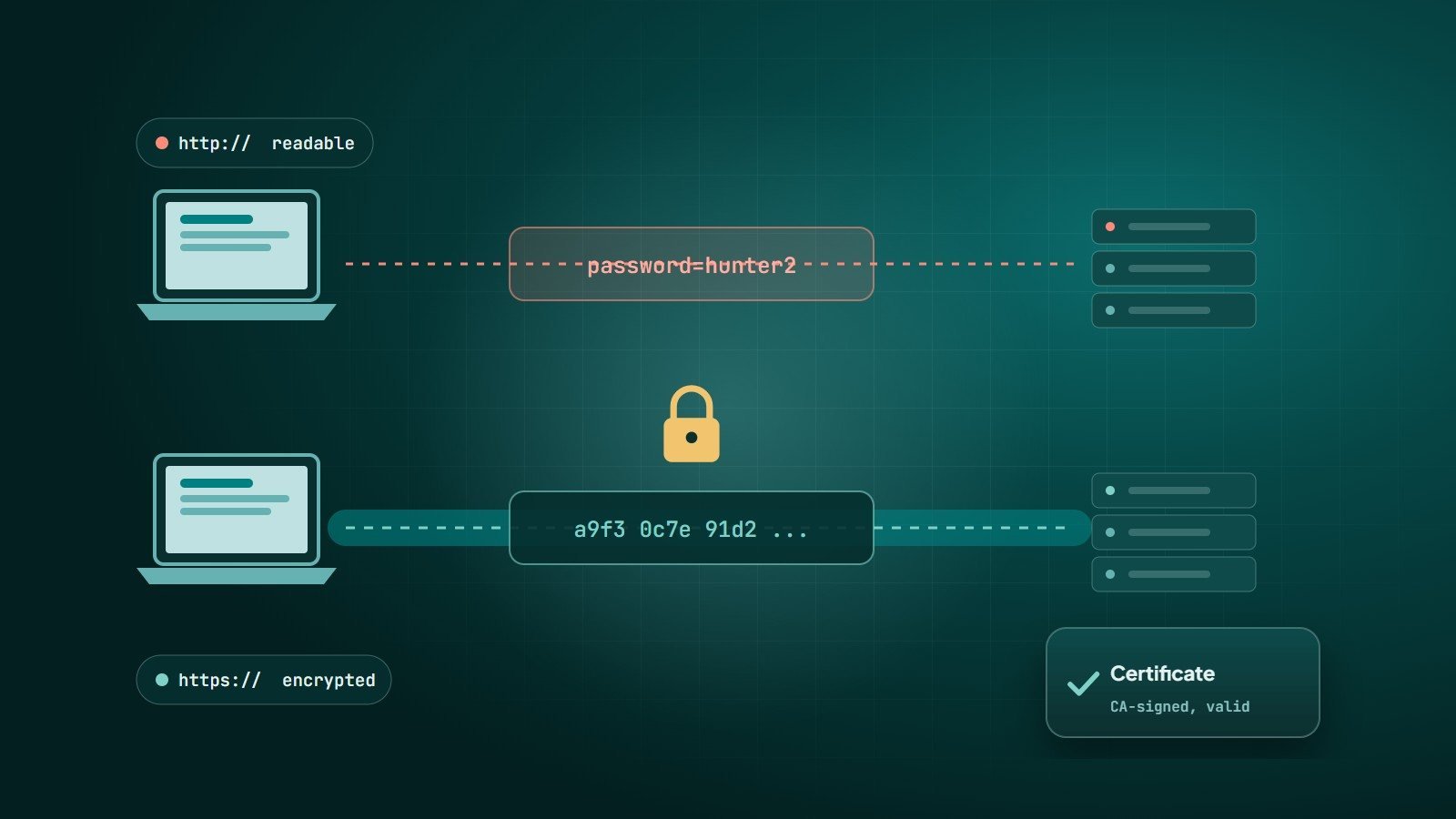
HTTP (Hypertext Transfer Protocol) is the language browsers and web servers use to exchange pages. HTTPS is the same protocol carried inside an encrypted connection using TLS (Transport Layer Security). The older name, SSL, is still widely used, but SSL itself is obsolete; modern sites use TLS 1.2 and TLS 1.3.
What HTTPS protects
- Confidentiality — passwords, form data, cookies and page content cannot be read by anyone on the network, such as on public Wi-Fi.
- Integrity — data cannot be silently altered in transit, for example by injecting ads or malware.
- Authentication — the certificate proves the browser is talking to the real owner of the domain, not an impostor.
What HTTPS does not protect
The padlock means the connection is secure. It does not mean the website is trustworthy — phishing sites can have valid certificates too — and it does not protect against vulnerabilities in the website itself. That is why HTTPS is the first item, not the only one, on any website security checklist.
How a TLS connection is established
- Client hello — the browser connects and lists the TLS versions and encryption methods it supports.
- Server hello and certificate — the server chooses the settings and sends its certificate, which contains its public key and domain name, signed by a certificate authority (CA).
- Verification — the browser checks that the certificate is valid, not expired, issued for this exact domain, and signed by a CA it trusts.
- Key exchange — both sides use public-key cryptography to agree on shared session keys without ever sending them across the network.
- Encrypted session — from then on, data is encrypted with fast symmetric encryption using those session keys.
TLS 1.3 streamlined this handshake, reducing the round trips needed and removing older, weaker options.
Certificate types
| Type | What is verified | Typical use |
|---|---|---|
| DV — Domain Validated | Control of the domain only | Most websites; free from Let's Encrypt and many hosts |
| OV — Organisation Validated | Domain plus the organisation's identity | Companies that want organisation details in the certificate |
| EV — Extended Validation | Stricter organisation checks | Some financial and enterprise sites |
All three provide the same strength of encryption. Modern browsers no longer show the company name prominently for EV certificates, so for most websites a DV certificate is entirely sufficient. Certificates can also cover several names (SAN) or all subdomains (wildcard, e.g. *.example.com).
Why every website needs HTTPS
- Browsers mark HTTP pages as "Not secure", especially where forms are present.
- Google has used HTTPS as a ranking signal since 2014.
- Modern browser features — HTTP/2 and HTTP/3 in practice, geolocation, service workers, many payment and login features — require a secure connection.
- Customers increasingly notice and avoid sites without the padlock.
Moving a website to HTTPS correctly
- Install a certificate for every hostname you use (with and without
www). - Redirect all HTTP URLs to their HTTPS equivalents with 301 redirects.
- Fix mixed content — images, scripts or styles still loaded over HTTP.
- Update canonical tags, internal links and the XML sitemap to HTTPS.
- Enable HSTS so browsers always use HTTPS for your domain.
- Set up automatic renewal. Let's Encrypt certificates last 90 days and are designed to be renewed automatically; an expired certificate shows visitors a full-page warning.
- Verify the HTTPS version in Google Search Console.
Common certificate errors
- Expired certificate — renewal failed or was not automated.
- Name mismatch — the certificate does not include the exact hostname (often the
wwwversion). - Incomplete chain — the server does not send the intermediate certificate.
- Wrong device clock — on the visitor's side, an incorrect date makes valid certificates look invalid.
Key takeaways
- HTTPS = HTTP encrypted with TLS; it protects confidentiality, integrity and authenticity of the connection.
- DV certificates are free and sufficient for most sites; encryption strength is the same for all types.
- Redirect, fix mixed content, enable HSTS and automate renewal.
How Wintecsys can help
Every website we build runs on HTTPS with automatic renewal, redirects and security headers. We also fix certificate errors and migrate existing sites to HTTPS without losing search rankings.