IaaS vs PaaS vs SaaS: Cloud Service Models Explained with Examples
IaaS, PaaS and SaaS describe how much of the technology stack you manage yourself and how much the cloud provider manages for you. Here is a clear comparison with examples.
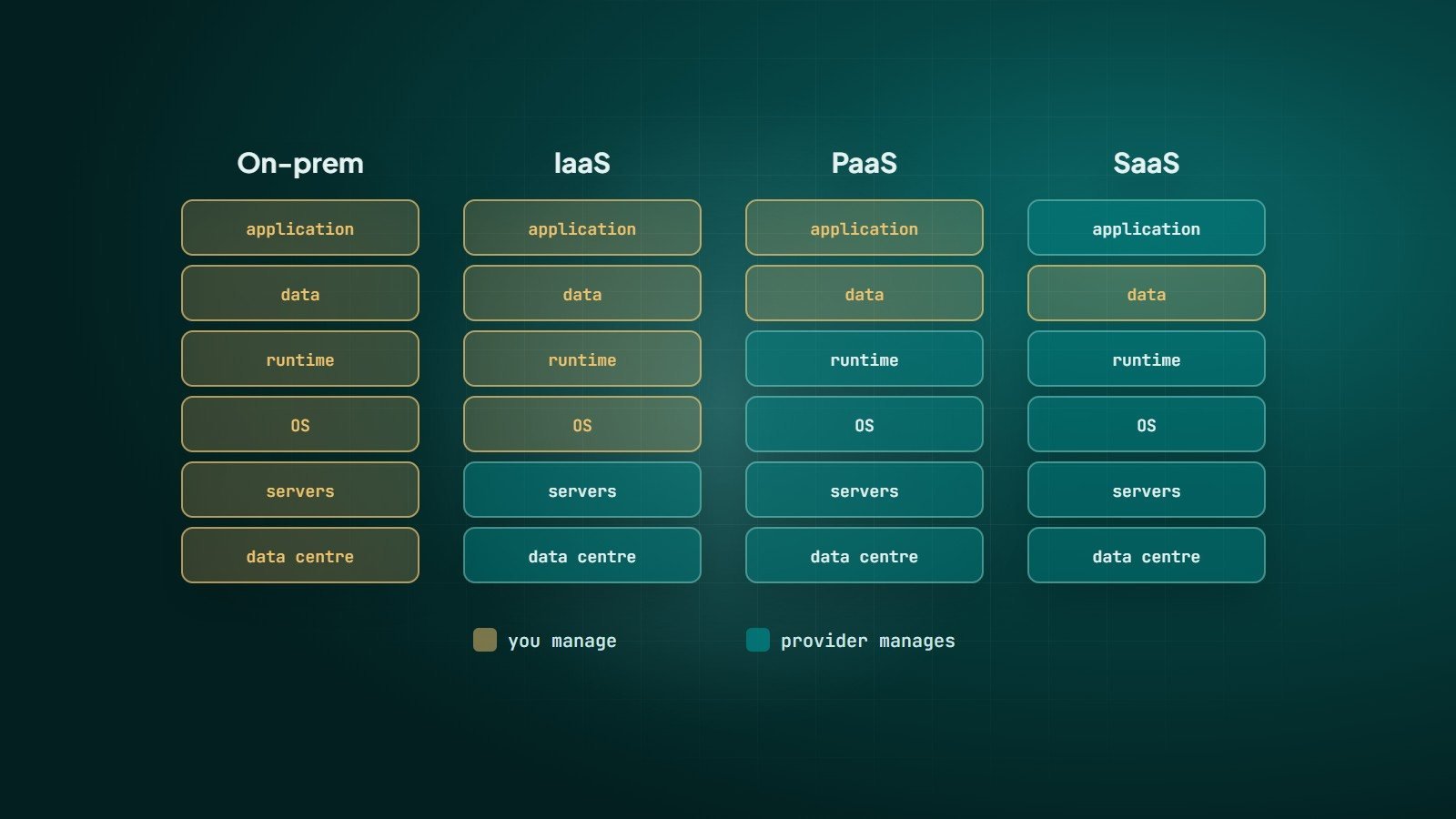
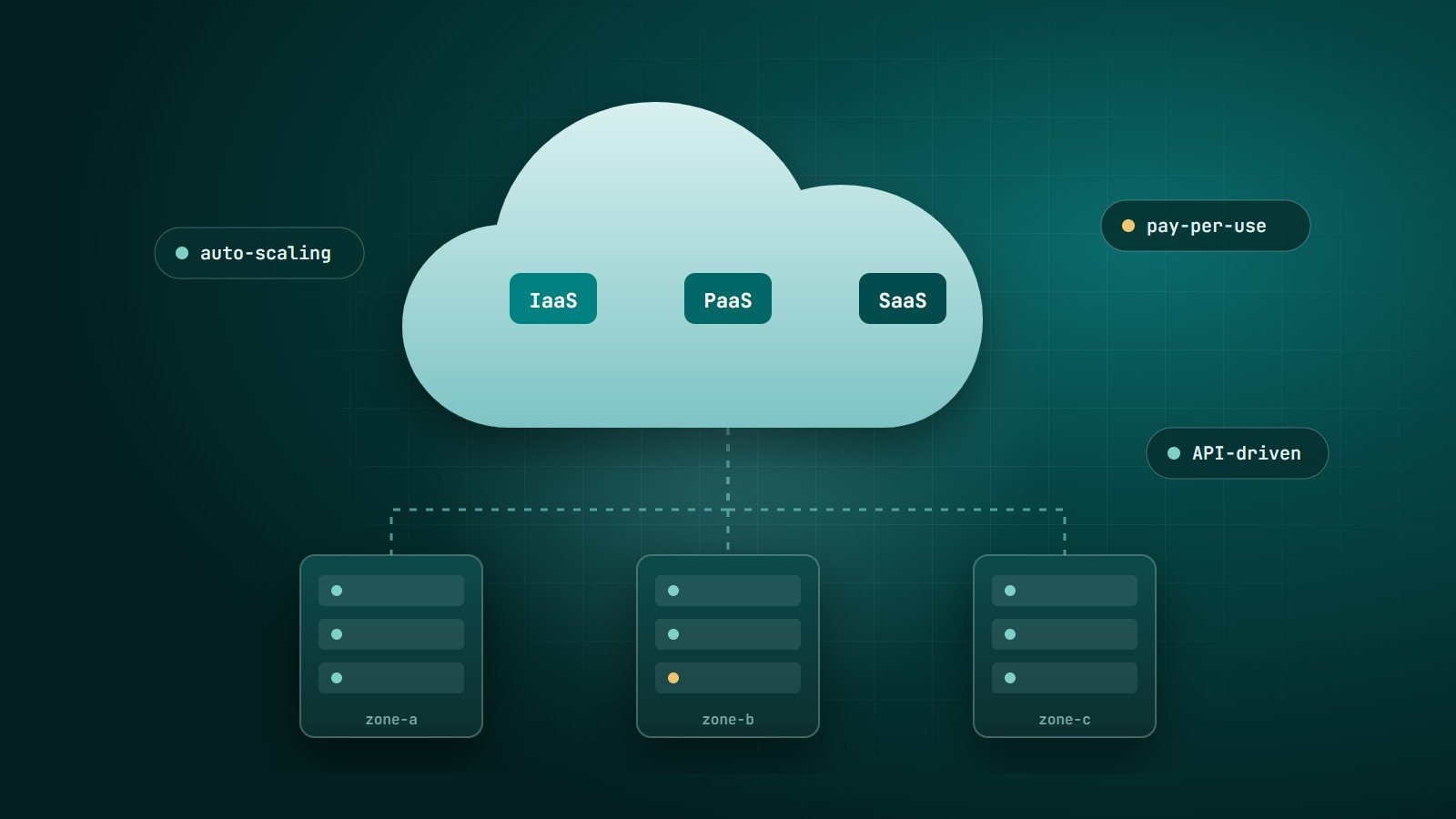
When people talk about "the cloud", they usually mean one of three service models: Infrastructure as a Service (IaaS), Platform as a Service (PaaS) and Software as a Service (SaaS). These definitions come from the U.S. National Institute of Standards and Technology (NIST) and are used across the industry. The difference between them is simple: how much of the technology stack you manage, and how much the provider manages for you.
If you are new to the topic, start with how cloud computing works.
The pizza analogy
- On-premises — you make pizza at home: you buy the oven, the ingredients and do everything.
- IaaS — you rent a kitchen with an oven; you bring the ingredients and cook.
- PaaS — you order the base and toppings ready; you assemble and bake it your way.
- SaaS — you order a finished pizza delivered to your door.
Who manages what
| Layer | On-premises | IaaS | PaaS | SaaS |
|---|---|---|---|---|
| Application | You | You | You | Provider |
| Data | You | You | You | You (your content), stored by provider |
| Runtime & middleware | You | You | Provider | Provider |
| Operating system | You | You | Provider | Provider |
| Servers, storage, networking | You | Provider | Provider | Provider |
| Data centre | You | Provider | Provider | Provider |
IaaS — Infrastructure as a Service
You rent virtual machines, storage and networks, and manage everything from the operating system up.
Examples: Amazon EC2, Google Compute Engine, Azure Virtual Machines, DigitalOcean Droplets.
- Pros: maximum control and flexibility; run almost any software.
- Cons: you are responsible for patching, security hardening, scaling and backups.
- Good for: custom server setups, legacy applications, teams with operations skills.
PaaS — Platform as a Service
You deploy your code; the platform runs it, handling servers, operating systems, runtimes and often scaling.
Examples: Heroku, Google App Engine, Azure App Service, AWS Elastic Beanstalk, plus managed databases such as Amazon RDS. Serverless functions (AWS Lambda, Google Cloud Functions, Azure Functions) take this further: you deploy individual functions and pay per execution.
- Pros: faster development, less operations work, built-in scaling.
- Cons: less control, platform limits, and potential lock-in to provider-specific features.
- Good for: web applications and APIs where the team wants to focus on the product.
SaaS — Software as a Service
You use finished software through a browser or app, usually on a subscription.
Examples: Google Workspace, Microsoft 365, Salesforce, Slack, Shopify.
- Pros: nothing to install or maintain; start immediately.
- Cons: limited customisation; your data and processes depend on the vendor.
- Good for: standard business needs — email, documents, CRM, accounting.
Security is shared
All major cloud providers describe a shared responsibility model: the provider secures the infrastructure; you are always responsible for your data, your user accounts and access permissions, and — the further down the stack you manage — for patching and configuration. Many cloud incidents come from customer misconfiguration, such as publicly exposed storage, rather than provider failures.
How to choose
- Is there a SaaS product that already does this well? For standard needs, use it.
- Building your own application? Start with PaaS or managed services, so your team builds features instead of managing servers.
- Need full control, special software or specific configurations? Use IaaS — and budget for operations.
Most real systems mix all three: a custom application on PaaS, a managed database, a few IaaS servers for special workloads, and SaaS tools for email and collaboration.
Key takeaways
- IaaS, PaaS and SaaS differ in how much you manage versus the provider.
- More control means more responsibility.
- Security is always shared; you own your data and access.
- Choose the highest-level service that meets your needs.
How Wintecsys can help
We design and set up cloud environments — choosing between SaaS, managed platforms and servers, deploying applications, and setting up security, backups and monitoring.