Why Your Website Is Slow — and How to Fix It (Core Web Vitals Explained)
A slow website loses visitors before they read a word. Here is what Google's Core Web Vitals measure, what usually makes sites slow, and the fixes that make the biggest difference.
Visitors do not wait. When a page takes too long to show its content, people go back to the search results and choose someone else. Speed also matters to search engines: Google uses page experience signals, including Core Web Vitals, as part of how it evaluates pages.
This guide explains what those metrics mean and how to fix the most common causes of a slow website.
Core Web Vitals in plain language
| Metric | What it measures | "Good" threshold |
|---|---|---|
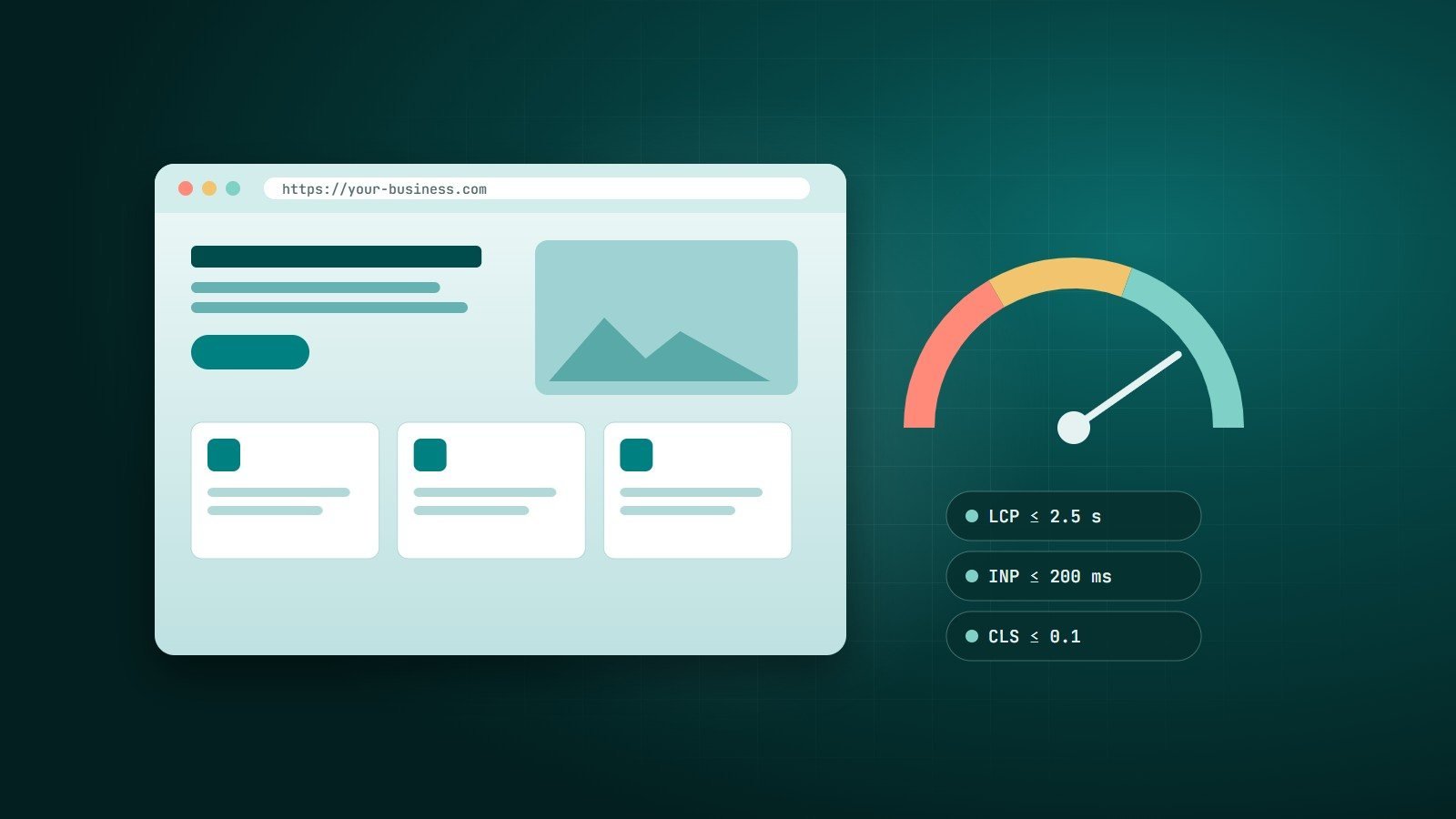
| LCP — Largest Contentful Paint | How quickly the main content (usually the hero image or headline) appears | 2.5 seconds or less |
| INP — Interaction to Next Paint | How quickly the page responds when someone taps, clicks or types | 200 milliseconds or less |
| CLS — Cumulative Layout Shift | How much the layout jumps around while loading | 0.1 or less |
Google assesses these at the 75th percentile of real visits, separately for mobile and desktop. INP replaced the older FID (First Input Delay) metric in March 2024.
How to measure your site
- PageSpeed Insights (pagespeed.web.dev) shows real-user data from the Chrome UX Report when enough traffic exists, plus a Lighthouse lab test with specific recommendations.
- Google Search Console has a Core Web Vitals report that groups your URLs into good, needs improvement and poor.
- Chrome DevTools (Performance and Lighthouse panels) helps developers find exactly which file or script is responsible.
Always test on mobile. Most sites are slower on a mid-range phone over a mobile network than on an office computer.
The most common causes — and the fixes
1. Heavy images
Oversized images are the most frequent cause of a slow LCP.
- Resize images to the size they are actually displayed.
- Use modern formats such as WebP or AVIF.
- Use
srcsetso phones download smaller files. - Lazy-load images below the fold with
loading="lazy"— but never lazy-load the hero image. - Always set
widthandheightso the browser reserves space (this also prevents layout shift).
2. Too much JavaScript
Large scripts block the main thread, delaying both rendering and interaction (INP). Remove plugins and libraries you do not need, load non-critical scripts with defer, split code by page, and be strict about third-party tags: chat widgets, trackers and ad scripts are frequent offenders.
3. Slow server response
If the server takes a long time to send the first byte (TTFB), everything else waits. Common causes are underpowered hosting, slow database queries, no caching and too many plugins. Fixes include page caching, an object cache, query optimisation and, for growing sites, better hosting.
4. No caching or compression
- Enable Gzip or Brotli compression for text files.
- Send long cache lifetimes for static files (CSS, JS, images) with versioned file names.
- Use a CDN to serve files from locations close to your visitors.
5. Web fonts
Fonts can delay text from appearing. Limit the number of families and weights, self-host or preload the critical ones, and use font-display: swap so text is visible while the font loads.
6. Layout shifts
Content jumping around is caused by images without dimensions, ads or embeds without reserved space, and banners injected at the top of the page after load. Reserve space for everything that loads later.
A quick checklist
- Run PageSpeed Insights on your home page and your most important landing page, on mobile.
- Compress and resize the largest images; convert to WebP or AVIF.
- Remove unused plugins, scripts and third-party tags.
- Turn on caching, compression and a CDN.
- Set image dimensions and reserve space for embeds.
- Re-test, then monitor the Core Web Vitals report in Search Console monthly.
Speed is a design decision
The fastest websites are not fixed after launch — they are planned that way: a lean theme, few dependencies, optimised media and good hosting from the start. When you commission a website, ask how performance will be measured and what targets the developer commits to.
Key takeaways
- Core Web Vitals measure loading (LCP), responsiveness (INP) and visual stability (CLS).
- Images, JavaScript and slow servers cause most performance problems.
- Measure on mobile with real-user data, fix the biggest issues first, and keep monitoring.
How Wintecsys can help
We build fast websites from the ground up and speed up existing ones — auditing Core Web Vitals, optimising images and code, and tuning hosting and caching. Send us your URL and we will tell you what is slowing it down.