Docker Containers Explained: What They Are and Why Developers Use Them
"It works on my machine" is one of software's oldest problems. Containers solve it by packaging an application with everything it needs. Here is how Docker works.
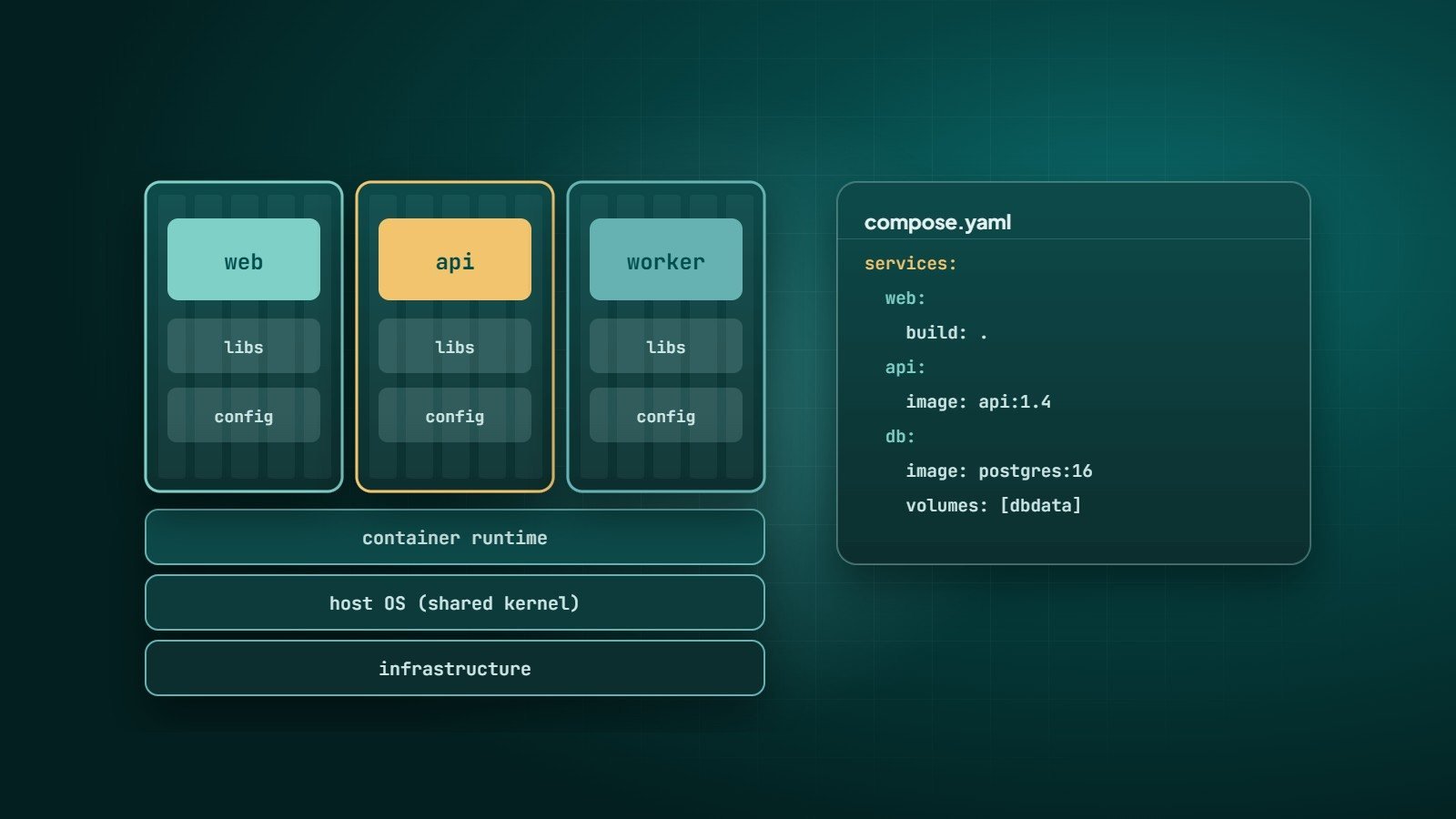
An application rarely runs on its own. It needs a specific language version, libraries, system packages and configuration. When any of those differ between a developer's laptop, the test server and production, things break in confusing ways. Containers solve this by packaging the application together with everything it needs to run.
What a container is
A container is an isolated process that runs on a host operating system, with its own filesystem, network and resource limits. It includes the application and its dependencies, but it shares the host's operating system kernel. On Linux, this isolation is provided by kernel features called namespaces and cgroups.
Docker, released in 2013, made containers easy to build, share and run, and its image format became the basis of the open OCI (Open Container Initiative) standards.
Containers vs virtual machines
| Virtual machine | Container | |
|---|---|---|
| Includes | A full guest operating system | The app and its dependencies only |
| Size | Typically gigabytes | Often tens to hundreds of megabytes |
| Start-up | Usually tens of seconds or more | Typically seconds or less |
| Isolation | Strong — separate kernels | Process-level — shared kernel |
| Density | Fewer per server | Many per server |
The two are complementary: in the cloud, containers usually run inside virtual machines.
Key Docker concepts
- Image — a read-only template containing the application and its environment, built in layers.
- Container — a running instance of an image.
- Dockerfile — the recipe that describes how to build an image.
- Registry — where images are stored and shared, such as Docker Hub, GitHub Container Registry or a cloud provider's registry.
- Volume — persistent storage that survives when containers are replaced.
A Dockerfile example
FROM node:20-alpine
WORKDIR /app
COPY package*.json ./
RUN npm ci --omit=dev
COPY . .
USER node
EXPOSE 3000
CMD ["node", "server.js"]
Build and run it:
docker build -t my-app .
docker run -p 3000:3000 my-app
Copying package*.json and installing dependencies before copying the rest of the code makes builds faster: Docker reuses the cached dependency layer until the package files change.
Docker Compose for multi-service apps
Most applications need several services. Docker Compose describes them in one file and starts them together:
services:
  app:
    build: .
    ports: ["3000:3000"]
    environment:
      DATABASE_URL: postgres://app:secret@db:5432/app
    depends_on: [db]
  db:
    image: postgres:16
    environment:
      POSTGRES_USER: app
      POSTGRES_PASSWORD: secret
      POSTGRES_DB: app
    volumes: ["dbdata:/var/lib/postgresql/data"]
volumes:
  dbdata:
One command — docker compose up — gives every developer the same application and database setup. (Use proper secrets management rather than plain passwords in production.)
Why teams use containers
- Consistency — the same image runs in development, CI and production.
- Fast onboarding — new developers start the whole stack with one command.
- Isolation — different apps can use different versions of languages and libraries on the same server.
- Portability — run on any server or cloud that supports containers.
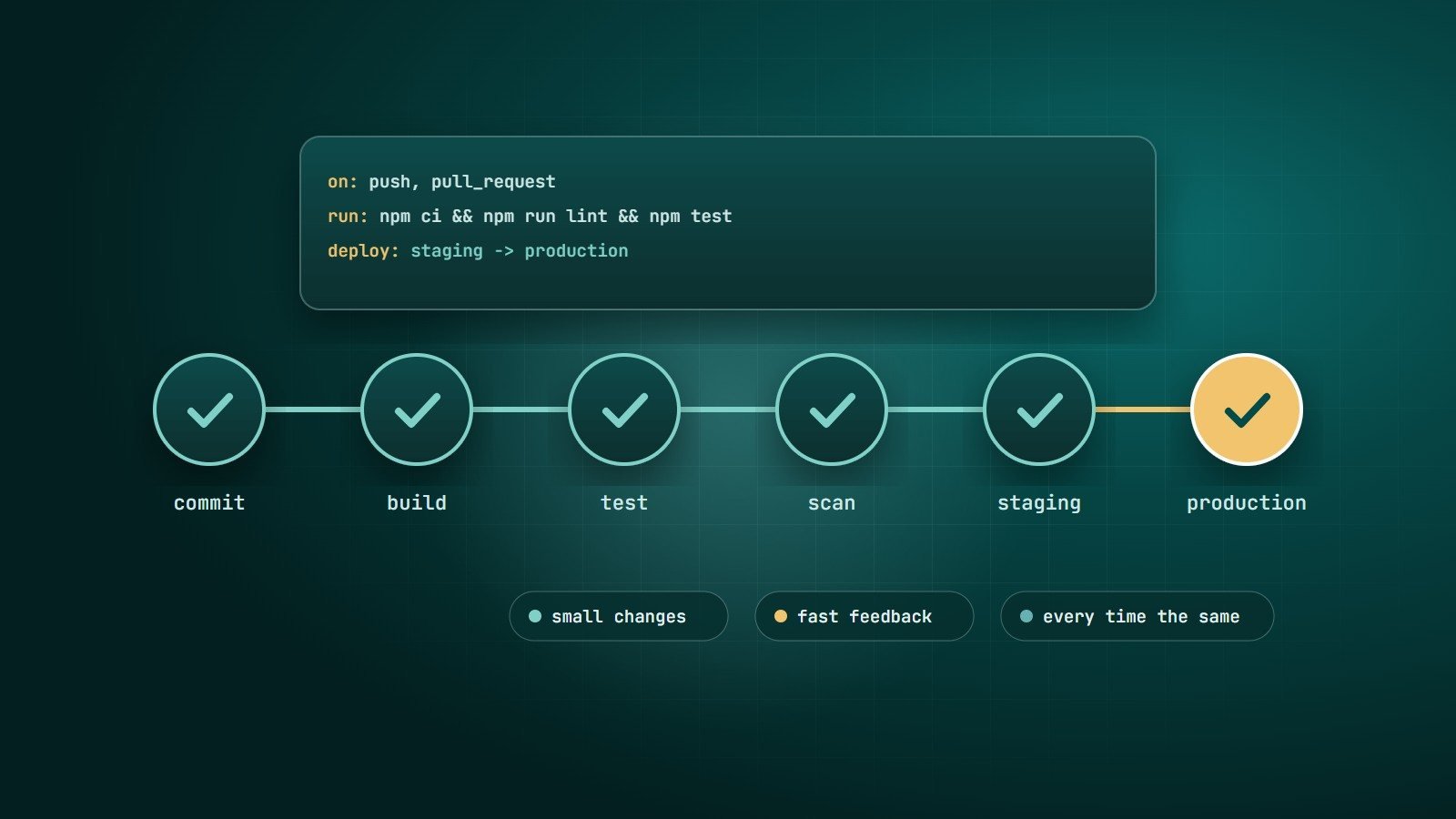
- Fits CI/CD — build an image once and promote it through each environment. See what is CI/CD.
Security basics
- Use small, official or trusted base images and keep them updated.
- Run as a non-root user (the
USERinstruction above). - Never bake secrets into images; pass them at runtime from a secret store.
- Scan images for known vulnerabilities in your CI pipeline.
- Remember the shared kernel: containers are not as strongly isolated as virtual machines.
When you need Kubernetes
Docker runs containers; Kubernetes orchestrates them across many servers — scheduling, scaling, self-healing, rolling updates and service discovery. It is powerful but complex. Many projects are well served by simpler options: Docker Compose on a single server, or managed container services such as AWS ECS or Fargate, Google Cloud Run and Azure Container Apps. Adopt Kubernetes when the scale and number of services justify the operational cost.
Key takeaways
- Containers package an app with its dependencies and share the host kernel, making them light and fast.
- Images are built from Dockerfiles, stored in registries and run as containers.
- Docker Compose runs multi-service apps; Kubernetes orchestrates containers at scale.
- Use minimal images, non-root users, runtime secrets and image scanning.
How Wintecsys can help
We containerise applications, create reproducible development environments and deploy containers to the right platform — from a single server to managed cloud services.
See our cloud & DevOps services or talk to us about containers.